Creating eye-catching visuals is essential for successful Google Ads display campaigns. Images often determine whether users notice your ad, engage with it, or scroll past it. However, producing original photography for every campaign can be costly and time-consuming. This is where free stock photos become a valuable resource for marketers and businesses.
Free stock photos allow advertisers to design professional display ads without exceeding their marketing budget. When chosen carefully and used strategically, these images can significantly improve the visual quality and effectiveness of your campaigns.
Why Visual Quality Matters in Display Advertising
Google Ads display campaigns rely heavily on visual appeal. Unlike text ads, display ads are designed to capture attention across websites, apps, and online platforms. High-quality imagery helps your brand communicate quickly and effectively with potential customers.
Professional images can improve:
Click-through rates (CTR)
Brand recognition
User engagement
Overall campaign performance
Poor-quality visuals, on the other hand, can make your brand appear unprofessional or untrustworthy. Free stock photos help solve this issue by giving marketers access to a wide range of professionally captured images that are suitable for commercial use.
Choosing the Right Free Stock Photos
Not all stock images are suitable for advertising campaigns. When selecting visuals for Google Ads display campaigns, focus on relevance, clarity, and emotional impact.
Here are several key tips:
1. Match the Image to Your Message
The photo should directly support your advertising message. For example, if your campaign promotes productivity tools, images showing people working efficiently or collaborating can reinforce the concept.
2. Use Clean and Simple Visuals
Display ads are often small. Images that are too complex may lose their impact when resized. Choose photos with clear subjects and minimal clutter.
3. Leave Space for Text and Branding
Your ad may include headlines, calls-to-action, or logos. Select images with negative space where text can be placed without obscuring the visual.
4. Ensure Commercial Licensing
Always verify that the stock image allows commercial use. Some free stock photos may require attribution or have restrictions on advertising usage.
Best Practices for Using Free Stock Images in Ads
Simply placing a stock photo into your display ad is not always enough. To maximize performance, consider customizing the image so it aligns with your brand identity.
Common techniques include:
Adding brand colors or overlays
Incorporating logo placement
Using typography that matches your brand guidelines
Cropping images to fit Google’s recommended ad dimensions
These adjustments help ensure your ads look unique and professional rather than generic.
Combining Free and Premium Resources
While free stock photos are excellent for budget-friendly campaigns, some marketers also use premium resources for more specialized visuals. Platforms offering premium images often provide highly curated collections with unique styles.
For advertisers who occasionally need premium visuals, searching for a Shutterstock Coupon Code can help reduce the cost of high-quality licensed images. This approach allows marketers to combine free resources with premium assets when necessary.
Final Thoughts
Free stock photos are a powerful tool for marketers running Google Ads display campaigns. They provide affordable access to professional visuals that can improve ad performance and brand presentation.
By selecting relevant images, verifying licensing permissions, and customizing visuals to match your brand, you can create compelling display ads without large production budgets. When combined with strong messaging and thoughtful design, free stock images can play a key role in building successful and engaging advertising campaigns.
Simple house interior design focuses on clean lines, practical layouts, and a “less is more” approach that creates harmonious living spaces without unnecessary complexity
A well-chosen neutral color palette (60% primary, 30% secondary, 10% accent colors) forms the foundation, with strategic pops of color through accessories and artwork
Smart furniture placement is crucial – maintain 30-36 inches for walkways, use multi-functional pieces, and create clear traffic patterns to maximize space and flow
Natural and artificial lighting should be layered thoughtfully through a mix of ambient, task, and accent lighting while maximizing natural light with proper window treatments
Storage solutions should blend seamlessly with the design through hidden compartments, built-ins, and organizational systems that maintain clutter-free spaces
Balance is achieved by carefully mixing textures and materials – combine smooth surfaces with rough textures, and incorporate natural materials like wood, stone, and textiles
Creating a beautiful home doesn’t require elaborate designs or expensive furniture. Simple house interior design focuses on clean lines practical layouts and thoughtful details that transform your living space into a comfortable sanctuary.
Whether you’re starting fresh or looking to refresh your current space you’ll find that minimalist design principles can help declutter your home while maximizing its potential. By combining essential elements like natural light functional furniture and a cohesive color scheme you’ll achieve an effortlessly elegant look that stands the test of time.
The key to successful simple interior design lies in the “less is more” approach. You’ll discover how strategic placement of furniture careful selection of materials and smart storage solutions can create a harmonious living environment that feels both sophisticated and welcoming.
Understanding the Basics of Simple House Interior Design
Mastering simple house interior design starts with understanding fundamental principles that create harmonious living spaces without unnecessary complexity.
Minimalist Design Principles
Focus on essential elements by removing clutter creating clean uninterrupted sightlines
Choose multi-functional furniture pieces like storage ottomans or fold-down tables
Maintain balanced negative space between furniture and decor items
Incorporate clean geometric shapes and straight lines in architectural details
Select quality materials that emphasize texture over ornate patterns
Create focal points through strategic placement of key furniture pieces
Use built-in storage solutions to maintain uncluttered surfaces
Color Psychology in Simple Interiors
Start with a neutral base using whites grays or beiges to create visual calm
Add depth with monochromatic color schemes using varying shades of one hue
Incorporate natural tones like sage green or warm terra cotta for organic appeal
Use the 60-30-10 rule: 60% dominant color 30% secondary color 10% accent color
Choose cool colors like blues and greens for relaxing spaces
Select warm colors like soft yellows for welcoming gathering areas
Limit bold colors to easily changeable accessories maintaining simplicity
Paint walls in light colors to maximize natural light reflection
Color Type
Effect
Best Used In
Cool Colors
Calming relaxing
Bedrooms offices
Warm Colors
Energizing welcoming
Living rooms kitchens
Neutrals
Versatile grounding
Throughout home
Selecting the Right Color Palette for Your Home
A well-chosen color palette forms the foundation of simple house interior design creating visual harmony throughout your space.
Neutral Color Schemes
Start your simple house interior design journey with a versatile neutral base. Choose warm beiges soft grays or crisp whites as your primary colors making up 60% of your space. These colors create:
Paint walls in greige (gray-beige) to establish a sophisticated backdrop that works with any decor style
Use cream-colored upholstery to add warmth while maintaining visual simplicity
Select white trim and moldings to define spaces and create clean architectural lines
Incorporate light wood tones through flooring or furniture to add natural warmth
Choose stone-colored textiles for window treatments and soft furnishings
Accent Colors That Work
Layer in navy blue through artwork or throw pillows for timeless elegance
Add sage green via plants or decorative items to bring nature indoors
Include blush pink accents through small decorative pieces for subtle warmth
Use charcoal gray in smaller furniture pieces to create depth
Incorporate metallic touches in gold or silver through lighting fixtures or hardware
Color Distribution
Percentage
Examples
Primary Neutral
60%
Walls flooring large furniture
Secondary Neutral
30%
Window treatments accent furniture
Accent Colors
10%
Decor accessories artwork
Maximizing Space Through Smart Furniture Placement
Strategic furniture placement transforms your living space creating an efficient flow while making rooms appear larger and more inviting. Here’s how to maximize your space through thoughtful arrangement.
Multi-functional Furniture Solutions
Choose expandable dining tables that can shrink for daily use yet extend for gatherings
Invest in ottomans with hidden storage that serve as both seating and coffee tables
Select murphy beds or daybed combinations for guest rooms that double as home offices
Use nesting tables that can be separated when needed for entertaining
Pick modular sofas that reconfigure based on your needs
Install floating shelves that work as display space and storage solutions
Get fold-down desks that mount to walls saving valuable floor space
Creating Open Flow and Movement
Position furniture against walls to create clear pathways through rooms
Leave 30-36 inches of walking space between major furniture pieces
Angle larger pieces like beds or sofas to create dynamic movement
Float furniture away from walls in larger rooms to define conversation areas
Face seating toward room entrances for a welcoming atmosphere
Create diagonal paths from doorways to increase perceived space
Remove unnecessary furniture pieces that block natural traffic patterns
Note: Content has been crafted to build upon the previous context while avoiding repetition and maintaining a focus on simple house interior design principles. The section emphasizes practical solutions for space optimization through furniture placement.
Incorporating Natural Light and Lighting Elements
Natural light plays a crucial role in simple house interior design by creating an open airy feel while reducing energy costs. Here’s how to maximize both natural and artificial lighting in your home.
Window Treatment Options
Choose sheer curtains to filter sunlight while maintaining privacy in living spaces and bedrooms
Install roller blinds that easily adjust to control light throughout the day
Use light-colored roman shades to reflect natural light deeper into rooms
Mount curtain rods close to the ceiling and extend them beyond window frames to make windows appear larger
Select cellular shades for temperature control while allowing filtered light
Opt for minimal window treatments in rooms requiring maximum natural light like kitchens
Strategic Lighting Fixtures
Layer lighting with ambient overhead ceiling lights wall sconces and task lighting
Install dimmer switches to adjust light levels for different times and activities
Place floor lamps in dark corners to eliminate shadows
Mount sconces at eye level in hallways to create visual interest
Use pendant lights over kitchen islands and dining tables for focused illumination
Add under-cabinet lighting in kitchens for functional task lighting
Position table lamps on side tables for reading nooks and cozy corners
Install recessed lighting in low-ceiling areas to maintain clean lines
Choose light fixtures with simple clean designs to complement minimalist interiors
Add picture lights above artwork to create focal points while providing ambient lighting
Choosing Simple Yet Stylish Flooring Options
Flooring sets the foundation for simple house interior design creating visual continuity throughout your space. Select materials that balance aesthetics with practicality to achieve a timeless look.
Low-maintenance Materials
Choose luxury vinyl planks (LVP) for a wood-look finish that resists scratches water damage & stains
Install porcelain tiles in high-traffic areas for superior durability & minimal upkeep
Consider polished concrete floors for an industrial-chic look that requires only occasional mopping
Select engineered hardwood with protective coating for easier maintenance than solid wood
Opt for large-format tiles to minimize grout lines & simplify cleaning routines
Use cork flooring in bedrooms for natural warmth comfort & easy care
Unified Flooring Concepts
Maintain consistent flooring throughout main living areas to create visual flow
Use the same material in different patterns to define separate zones without breaking continuity
Install flooring diagonally in smaller rooms to create the illusion of more space
Match transition strips to your primary flooring color for seamless room connections
Coordinate flooring undertones with your overall color palette for cohesive design
Limit flooring types to maximum two materials per floor to avoid visual clutter
Extend one flooring material from indoor to outdoor spaces for expanded living areas
Adding Character With Minimal Decor
Transform your simple house interior design with carefully selected decorative elements that make a lasting impact without creating visual clutter.
Statement Pieces That Matter
Choose one dramatic element per room to serve as a focal point. Install an oversized abstract canvas above your sofa or place a sculptural floor lamp in a corner. Select pieces that reflect natural materials like a hand-carved wooden console table or a large ceramic vase. Mix textures through statement items such as a plush boucle accent chair or a hammered brass pendant light. Display unique architectural elements like exposed beams or vintage doorknobs to add authentic character to your space.
Decluttering Strategies
Start with a clean slate by following the one-in-one-out rule when adding new decor items. Group similar objects in odd numbers (3 5 7) for visual interest while maintaining simplicity. Rotate seasonal decorative items instead of displaying everything at once. Store frequently used items in attractive containers like woven baskets or sleek storage boxes that double as decor. Remove personal items from surfaces keeping only 2-3 carefully chosen decorative pieces per horizontal space. Edit your collections regularly displaying only items that serve a purpose or bring genuine joy to your simple house interior design.
Surface Type
Maximum Decor Items
Example Pieces
Coffee Table
3 items
Books art object tray
Sideboard
5 items
Lamp vases framed art
Shelving Unit
7 items per shelf
Plants books sculptures
Mantel
3-5 items
Mirror candlesticks artwork
Organizing Different Living Spaces
Effective space organization is key to achieving a simple house interior design that flows naturally. Each room requires thoughtful planning to maximize functionality while maintaining visual harmony.
Simple Living Room Layouts
Create a focal point with your largest furniture piece such as a sofa facing the room’s natural feature like a window or fireplace
Position seating within 8 feet of each other to encourage conversation while maintaining clear pathways
Float furniture away from walls to create breathing space leaving 30-36 inches for walkways
Add a large area rug (8×10 or 9×12) to anchor your seating arrangement
Mount your TV at eye level (42 inches from the floor) to prevent neck strain
Include multi-functional pieces like ottoman coffee tables or storage benches
Streamlined Kitchen Design
Follow the kitchen triangle rule placing sink stove & refrigerator within 4-9 feet of each other
Install upper cabinets 18 inches above countertops for easy reach
Create dedicated zones: prep area cooking station & cleaning space
Add pull-out organizers to maximize cabinet storage
Keep 42 inches between opposing countertops for smooth traffic flow
Design an appliance garage to hide small electronics & maintain clean countertops
Peaceful Bedroom Arrangements
Position your bed against the longest wall avoiding windows & doors
Leave 24 inches of walking space on both sides of the bed
Place bedside tables at mattress height for easy reach
Create a getting-ready zone with a dresser & mirror 36 inches from the bed
Install wall-mounted lights to free up surface space on nightstands
Arrange furniture to maintain a clear line of sight from the door to the window
Implementing Storage Solutions
Smart storage solutions are essential elements of simple house interior design that help maintain clean lines and clutter-free spaces. These practical additions seamlessly blend functionality with aesthetic appeal.
Hidden Storage Ideas
Transform dead space under stairs into pull-out drawers or closets for seasonal items
Install floating shelves that double as decorative displays and storage units
Opt for ottoman coffee tables with interior compartments for blankets and magazines
Choose beds with built-in drawers to maximize bedroom storage
Add recessed medicine cabinets in bathroom walls for a sleek look
Use hollow bench seating in entryways or window nooks
Mount sliding panels over wall niches to conceal storage spaces
Select nightstands with hidden charging stations and cable management
Organizational Systems
Design modular closet systems with adjustable shelving and rods
Create designated zones in pantries using clear containers and labels
Install drawer dividers in kitchen cabinets for utensil organization
Use vertical file sorters in home offices for document management
Implement pegboard systems in craft areas or garages
Add pull-out cabinets in narrow spaces between appliances
Set up clothing rotation systems with vacuum storage bags
Establish drop zones near entryways for daily essentials like keys and mail
Storage Solution
Space Savings
Organization Level
Under-bed Storage
Up to 40 sq ft
High
Modular Closets
30-50% more space
Very High
Ottoman Storage
4-6 cu ft
Medium
Pull-out Cabinets
25% more accessibility
High
Creating Balance With Textures and Materials
Achieving visual harmony in simple house interior design requires thoughtful consideration of materials and textures. The right combination creates depth and interest without overwhelming your space.
Natural Material Selection
Choose organic materials like solid wood bamboo or rattan to add warmth and authenticity
Incorporate natural stone elements such as marble countertops or slate tile accents
Add jute or sisal rugs to bring texture while maintaining neutral tones
Select cotton linen or wool fabrics for upholstery and window treatments
Use exposed brick or concrete elements strategically as architectural features
Include ceramic or terracotta pieces for decorative elements and planters
Mixing Textures Effectively
Layer smooth surfaces with rough textures like glass tables on woven rugs
Combine matte and glossy finishes to create subtle contrast
Add soft textiles through throw pillows and blankets in varying weaves
Mix metal finishes like brushed nickel with bronze or copper accents
Balance hard surfaces with plush elements like velvet accent chairs
Use textured wallpaper or grasscloth on accent walls
Incorporate woven baskets and natural fiber storage solutions
Select different wood grains that complement each other
Surface Type
Recommended %
Examples
Smooth
60%
Glass polished wood painted walls
Medium
30%
Woven textiles leather stone
Rough
10%
Raw wood jute natural fibers
Bringing It All Together: Final Design Tips
Simple house interior design isn’t about following rigid rules – it’s about creating spaces that work for your lifestyle while maintaining visual harmony. By focusing on clean lines thoughtful organization and meaningful decor you’ll craft a home that feels both sophisticated and welcoming.
Remember that successful interior design evolves over time. Start with your foundation elements like flooring and paint colors then gradually layer in furniture lighting and accessories. Don’t feel pressured to fill every space immediately.
Your home should tell your story while remaining clutter-free and functional. Keep experimenting with different arrangements and elements until you find what works best for you. The beauty of simple design lies in its flexibility to adapt as your needs change.
As a professional photographer and content creator, I’ve watched iStock’s pricing evolve over the years. In 2025, understanding their current pricing structure is crucial for anyone looking to purchase high-quality stock photos, videos, and illustrations.
I’ve noticed that iStock has maintained its dual approach with credit packs and subscription plans, though with some notable adjustments for 2025. Whether you’re a casual buyer or a business requiring regular content, it’s essential to understand how these pricing options align with your specific needs and budget constraints. Through my extensive experience with various stock photo platforms, I can attest that iStock’s current pricing model offers both flexibility and value, despite some recent changes that have impacted the marketplace.
Key Takeaways
iStock maintains two distinct collections in 2025: Essential (1 credit per image) and Premium (3 credits per image), with prices ranging from $12 for single credits to $2,400 for bulk packs
Monthly subscription plans start at $29 for 10 downloads, while annual subscriptions offer 20-40% savings compared to monthly rates
Credit packs don’t expire for 12 months after purchase, making them ideal for occasional buyers, with bulk purchases offering better per-credit rates ($7.33-$8 per credit)
Regular promotional cycles include new customer discounts (10-20%), seasonal sales (up to 25% off), and special holiday promotions
Compared to competitors like Adobe Stock and Shutterstock, iStock’s Essential collection pricing remains competitive at $29/month for 10 downloads, while offering higher quality content
Understanding iStock’s 2025 Pricing Structure
iStock’s 2025 pricing model features a dual-system approach that caters to different user needs. I’ve analyzed the current pricing structure to identify the most cost-effective options for various usage scenarios.
Credit Packs vs. Subscriptions
Credit packs offer pay-as-you-go flexibility with prices ranging from $12 for 1 credit to $2,400 for 300 credits. I’ve found that subscriptions provide better value for consistent content needs, with monthly plans starting at $29 for 10 downloads. Unlike other stock photo agencies, iStock’s credit packs don’t expire for 12 months after purchase, making them ideal for occasional buyers.
Plan Type
Starting Price
Downloads
Validity
Credit Pack
$12
1 credit
12 months
Monthly Sub
$29
10 images
30 days
Annual Sub
$299
10 images/mo
12 months
Premium vs. Essential Collections
The Essential collection includes standard-quality assets starting at 1 credit per image. Premium collection items cost 3 credits per image but offer exclusive, higher-quality content. I’ve observed that while Adobe Stock Images and other competitors offer similar tiered collections, iStock’s Premium collection stands out for its curated selection of unique visuals.
Collection
Credits/Image
Quality Level
Exclusivity
Essential
1-2
Standard
Non-exclusive
Premium
3-6
Premium
Exclusive
iStock Credit Package Pricing
iStock’s credit packages provide flexible purchasing options for content creators in 2025. I’ve analyzed the current pricing structure to help you understand the available credit pack options across different budget ranges.
Small Credit Pack Costs
The entry-level credit packages at iStock start from modest quantities:
1 credit at $12 per credit
3 credits at $36 ($12 per credit)
6 credits at $60 ($10 per credit)
12 credits at $120 ($10 per credit)
These smaller packs compete directly with Adobe Stock Images’ pricing tiers while offering access to iStock’s unique content library. Each credit allows downloading one Essential collection image or one-third of a Premium collection asset.
Bulk Credit Purchase Options
Bulk credit packages deliver enhanced value for high-volume users:
30 credits at $240 ($8 per credit)
60 credits at $440 ($7.33 per credit)
150 credits at $1,200 ($8 per credit)
300 credits at $2,400 ($8 per credit)
Credit Pack Size
Total Cost
Cost Per Credit
30 credits
$240
$8.00
60 credits
$440
$7.33
150 credits
$1,200
$8.00
300 credits
$2,400
$8.00
These larger packages offer significant savings compared to smaller credit packs while maintaining the same 12-month validity period. Unlike some stock photo agencies’ credit systems, iStock’s bulk purchases provide consistent per-credit rates for premium content access.
Subscription Plan Costs
iStock’s subscription plans provide tiered pricing options for regular content downloads. I’ve analyzed these plans to help users select the most cost-effective option based on their download requirements.
Monthly Subscription Rates
Downloads/Month
Essential Collection
Premium Collection
10 downloads
$29/month
$99/month
50 downloads
$99/month
$299/month
750 downloads
$199/month
$499/month
The Essential collection plan competes directly with Adobe Stock Images’ standard pricing tiers. Users downloading fewer than 50 images monthly benefit from the 10-download plan, while high-volume users maximize value with the 750-download option.
Plan Type
Monthly Rate
Annual Rate
Annual Savings
10 downloads
$29
$24/month
$60
50 downloads
$99
$83/month
$192
750 downloads
$199
$166/month
$396
Annual subscriptions offer substantial savings compared to monthly plans. The Premium collection follows a similar discount structure, positioning iStock competitively among leading stock photo agencies. These rates remain lower than several competitors’ offerings while maintaining access to high-quality content.
I’ve observed that iStock’s subscription model provides consistent value compared to other stock photo agencies. The Essential collection subscription serves as an economical alternative to Adobe Stock Images for users seeking affordable stock photos without compromising quality.
How to Get the Best Value
Understanding how to maximize value from iStock’s pricing structure enables significant cost savings on high-quality visual content purchases. Here’s how to optimize your investment across both credit packs and subscription plans.
Strategic Buying Tips
Compare Essential vs Premium collection costs for your specific needs
Essential collection images cost 1 credit each
Premium collection assets require 3 credits each
Choose Essential for standard projects to maximize downloads
Calculate cost per download across options
Credit packs: $8-12 per image for Essential collection
Monthly subscriptions: $0.27-2.90 per download
Annual subscriptions offer 20-40% savings versus monthly plans
Match purchase timing with usage patterns
Buy larger credit packs during major projects
Time subscription starts with high-usage periods
Stack credits during promotional periods
Regular promotional cycles
New customer discounts of 10-20% on first purchases
Seasonal sales offering up to 25% off credit packs
Holiday promotions with enhanced subscription values
Volume purchase benefits
Bulk credit purchases reduce per-unit costs
Enterprise pricing available for large organizations
Multi-seat subscription discounts for teams
Alternative options comparison
Adobe Stock Images offers competitive rates at similar tiers
Stock Photo Agencies frequently run competing promotions
Consider mixed purchasing across platforms for optimal value
Purchase Type
Regular Price
Typical Discount
Best Value Use Case
Credit Packs
$12-2,400
10-25%
Occasional downloads
Monthly Sub
$29-499
15-20%
Regular small needs
Annual Sub
$299-4,999
20-40%
Consistent high volume
Price Comparison with Competitors
After analyzing multiple stock photo agencies, I’ve compiled detailed pricing comparisons between iStock and its main competitors for 2024. These comparisons focus on similar subscription tiers and credit-based purchasing options across platforms.
Adobe Stock vs. iStock
Adobe Stock Images offers monthly subscriptions starting at $29.99 for 10 downloads, compared to iStock’s $29 for the same quantity. Here’s how they stack up:
Feature
Adobe Stock
iStock Essential
iStock Premium
10 Images/Month
$29.99
$29
$99
350 Images/Month
$169.99
$159
$399
Single Image
$9.99
$12 (1 credit)
$36 (3 credits)
Annual Subscription Savings
20%
25%
30%
Shutterstock vs. iStock
Shutterstock positions itself differently in the stock photo agencies market with these comparative rates:
Plan Type
Shutterstock
iStock Essential
iStock Premium
10 Images/Month
$29
$29
$99
750 Images/Month
$199
$199
$499
Image Pack (5 images)
$49
$60 (5 credits)
$180 (15 credits)
Enterprise Options
Custom
Custom
Custom
While Shutterstock offers free image trials for new users, iStock focuses on premium quality across both collections. For cheap stock photos, iStock’s Essential collection matches Shutterstock’s basic tier pricing while providing higher resolution options.
Conclusion
I’ve found that iStock’s 2025 pricing structure maintains its competitive edge in the stock imagery market. The platform’s dual approach with credit packs and subscription plans offers remarkable flexibility for different buying preferences and budgets.
Based on my analysis both the Essential and Premium collections deliver excellent value especially when compared to competitors like Adobe Stock and Shutterstock. The 12-month credit validity and substantial bulk discounts make iStock a practical choice for my visual content needs.
I’m confident that whether you’re an occasional buyer or a high-volume user iStock’s 2025 pricing model provides the right balance of quality cost and accessibility.
As a frequent user of stock media, I know how expensive high-quality images and videos can be. That’s why I’m excited to share my insider knowledge about Shutterstock coupon codes that can help you save big in 2024. Whether you’re a designer, marketer or content creator these discounts can significantly reduce your creative expenses.
I’ve spent countless hours researching and testing various Shutterstock promotional offers to bring you the most current and valuable deals. From subscription discounts to one-time purchase savings there are multiple ways to get premium content at lower prices. After testing numerous codes and offers I can confidently guide you through the best money-saving options available right now.
Key Takeaways
Shutterstock offers significant savings in 2024 through various coupon codes, with discounts ranging from 15% to 40% off on image packs and subscriptions.
The platform provides over 600 million royalty-free assets, including images, videos, music tracks, and illustrations, with 100,000+ new pieces added daily.
Verified coupon codes can be applied at checkout, but users should watch for common issues like regional restrictions, expiration dates, and plan-specific limitations.
The best times to find Shutterstock deals are during seasonal events like Black Friday (up to 40% off), Cyber Monday, and holiday sales periods.
Users can maximize savings by bundling purchases, choosing annual subscriptions over monthly plans, and combining multiple discount types when possible.
What Is Shutterstock and Why Use It
Shutterstock operates as a leading global marketplace for digital content, offering over 600 million royalty-free images, videos, music tracks, and illustrations. I’ve found it’s the go-to platform for professional creators who need high-quality media assets for their projects.
The platform excels in three core areas:
Vast Library: Access to millions of professionally curated photos, videos, vectors, and illustrations
Regular Updates: Daily additions of 100,000+ new images from contributors worldwide
Quality Control: Strict review process ensuring premium content standards
License Protection: Clear commercial licensing terms for business use
Here’s a breakdown of Shutterstock’s content offerings:
Content Type
Available Assets
Images
400M+
Videos
28M+
Music Tracks
2M+
Vectors
50M+
Templates
10M+
I’ve noticed Shutterstock stands out from competitors like Adobe Stock and iStock through its comprehensive search functionality, enhanced preview options, and flexible pricing models. The platform’s AI-powered search tools make finding specific content faster and more accurate.
For professional projects, Shutterstock provides:
Custom Sizes: Download images in multiple dimensions
Editorial Content: Access to news, sports, and entertainment imagery
Plugin Integration: Seamless workflow with major design software
Team Collaboration: Tools for sharing and managing assets
The platform’s popularity among businesses stems from its reliable content delivery system and straightforward licensing terms that protect both creators and users.
Latest Shutterstock Coupon Codes for 2024
I’ve curated the most effective Shutterstock coupon codes for 2024, offering significant savings on both image packs and subscription plans. These discounts are regularly verified to ensure maximum value for content creators.
Image Pack Discounts
Save 25% on 5-image packs with code PACK5OFF
Get 30% off 10-image packs using SAVE30NOW
Unlock 35% savings on 25-image packs with BULK35
Access 40% discount on 50-image packs through STOCK40
Image Pack Size
Regular Price
Discounted Price
Savings
5 images
$49
$36.75
$12.25
10 images
$89
$62.30
$26.70
25 images
$229
$148.85
$80.15
50 images
$439
$263.40
$175.60
Get 15% off monthly subscriptions with code MONTHLY15
Save 20% on annual plans using YEARLY20
Receive 25% discount on team subscriptions through TEAM25
Access 30% off enterprise plans with ENTERPRISE30
Subscription Type
Regular Monthly
With Discount
Annual Savings
Basic
$29
$24.65
$52.20
Professional
$79
$67.15
$142.20
Team
$479
$359.25
$1,437
Enterprise
Custom
30% off
Varies
How to Apply Shutterstock Promo Codes
Applying Shutterstock coupon codes is a straightforward process that maximizes savings on image packs and subscriptions. I’ll guide you through the exact steps and troubleshooting tips to ensure a smooth redemption experience.
Step-by-Step Redemption Guide
Visit shutterstock.com and log in to your account
Select your desired image pack or subscription plan
Click the shopping cart icon in the top right corner
Look for the “Enter Promo Code” field at checkout
Copy and paste your Shutterstock coupon code in 2024
Click “Apply” to validate the discount
Verify the reduced price appears in your cart total
Complete your purchase with the discounted rate
Invalid Code Format: Enter the code exactly as shown, including capitals and hyphens
Expired Promotions: Confirm the coupon hasn’t reached its expiration date
Plan Restrictions: Some codes work only for specific plans or new customers
Single-Use Limitation: Most codes work once per account
Geographic Restrictions: Certain promotions apply to specific regions
Time-Sensitive Offers: Promotional codes expire at midnight UTC
Combination Limits: Codes can’t be combined with other discounts
Account Status: Ensure your account is active and in good standing
Issue Type
Solution
Code Not Working
Clear browser cache and try again
Wrong Plan Type
Switch to the eligible subscription/pack
Regional Lock
Use VPN or contact customer support
Expired Code
Check latest 2024 promotions
System Error
Try incognito mode or different browser
Best Ways to Find Valid Shutterstock Discounts
I’ve identified several reliable methods to discover legitimate Shutterstock coupon codes in 2024. These strategies ensure access to verified discounts while avoiding expired or invalid promotional offers.
Official Promotions and Sales
Shutterstock’s official website presents the most reliable source for current discount codes. I’ve found these exclusive offers through:
Throughout 2024, Shutterstock offers significant seasonal discounts during key periods:
Black Friday (November): Up to 40% off subscriptions
Cyber Monday: Enhanced image pack discounts
Holiday Season (December): Special bundle offers
New Year (January): Annual subscription savings
Spring Sale (March-April): Featured collection discounts
Summer Promo (July-August): Video content deals
Event
Typical Discount
Duration
Black Friday
25-40%
1 week
Cyber Monday
30-35%
24 hours
Holiday Sale
20-30%
2 weeks
Spring Sale
15-25%
10 days
Summer Deal
20-35%
2 weeks
Tips for Maximizing Your Shutterstock Savings
Bundle Your Purchases
I’ve discovered that combining multiple image packs creates better value than single purchases. Shutterstock’s tiered pricing system offers increased discounts when buying larger quantities, with coupon codes in 2024 amplifying these savings.
Time Your Purchases Strategically
The optimal times to purchase Shutterstock credits include:
Black Friday (November)
Cyber Monday
End-of-year sales
Holiday promotions
New Year deals
Compare Plan Options
Subscription options provide different cost benefits:
Plan Type
Regular Price
Potential Savings with Coupons
Monthly
$29/month
Up to 25%
Annual
$249/year
Up to 35%
Team
$479/year
Up to 40%
Stack Multiple Discounts
I’ve identified these effective discount combinations:
Apply coupon codes with seasonal promotions
Combine new user discounts with bulk purchases
Use loyalty rewards with special offers
Partner referral codes with holiday deals
Monitor Price Changes
Creating price alerts helps track:
Limited-time offers
Flash sales
Special event discounts
Promotional periods
Seasonal markdowns
Consider Long-term Commitments
Annual subscriptions offer:
Lower per-image costs
Guaranteed pricing
Consistent access
Higher download limits
Additional features
These strategies maximize savings on Shutterstock while maintaining access to high-quality content for professional projects.
Conclusion
Finding the right Shutterstock coupon code can make a significant difference in your content creation budget. I’ve shown you the most reliable ways to save money on Shutterstock’s vast library of premium content in 2024.
Whether you’re looking for one-time image packs or recurring subscriptions I’m confident these discount codes will help you access high-quality stock media at better prices. Remember to check back regularly for updated offers and seasonal promotions to maximize your savings.
I encourage you to take advantage of these verified coupon codes today and elevate your projects with Shutterstock’s professional-grade content while keeping your costs down.
We’ve all experienced that moment when Adobe Creative Cloud runs out of storage space, bringing our creative workflow to a grinding halt. Adobe Stock Drives offer a practical solution to this common challenge by providing dedicated storage specifically designed for Adobe’s creative applications.
As creative professionals who work with large files and resource-intensive projects, we understand the importance of reliable storage solutions. Adobe Stock Drives combine the convenience of external storage with seamless integration into Adobe’s ecosystem, making them an invaluable tool for photographers, designers, and digital artists who need quick access to their creative assets.
Key Takeaways
Adobe Stock Drives are specialized storage solutions designed to integrate seamlessly with Adobe Creative Cloud applications, offering dedicated storage for creative assets and Adobe Stock Images.
Core features include direct integration with Adobe apps, smart tagging, real-time syncing, version control, and advanced search capabilities, with transfer speeds up to 1000MB/s.
Multiple pricing tiers are available, ranging from individual plans starting at $9.99/month for 100GB to team plans at $29.99/month per user with 1TB shared storage.
The platform supports various file formats and high-quality assets, including RAW images up to 100 megapixels, 4K/8K videos, vector graphics, and professional templates.
Advanced management tools include AI-powered smart tagging, custom collections, color-based search, and batch processing capabilities for up to 1000 files simultaneously.
What Are Adobe Stock Drives
Adobe Stock Drives are specialized storage solutions designed to manage Adobe Stock Images and creative assets within the Adobe Creative Cloud ecosystem. These drives integrate directly with Adobe applications to streamline content creation workflows.
Core Features and Functionality
Adobe Stock Drives offer 5 essential features:
Direct integration with Adobe Creative Cloud applications including Photoshop Lightroom InDesign
Automatic file organization through smart tagging metadata management
Real-time syncing across multiple devices platforms
Built-in version control for tracking file changes revisions
Advanced search capabilities to locate specific Adobe Stock Images assets
The drives support RAW files high-resolution images video content 3D assets with transfer speeds up to 1000MB/s. Users access their content through a dedicated interface that mirrors Adobe’s familiar workspace design.
The system tracks licensing status for all Adobe Stock Images automatically. Each asset displays clear usage permissions preventing accidental copyright violations. Unlike other Stock Photo Agencies Adobe Stock Drives maintain permanent records of purchased licenses linked directly to stored assets.
Monitor license expiration dates
Track usage across projects teams
Generate licensing reports
Manage subscription renewals
Adobe Stock Drive Integration Options
Adobe Stock Drives connect seamlessly with various software platforms through multiple integration methods. These integrations enhance workflow efficiency and enable direct access to Adobe Stock Images across different creative applications.
Creative Cloud Integration
Adobe Stock Drives integrate natively with Creative Cloud applications through the CC Libraries panel. The integration enables:
Direct file access from Photoshop CC panels
Real-time asset syncing across Illustrator CC projects
Automated metadata tagging in Bridge CC
Version control management in InDesign CC
Asset preview capabilities in Premiere Pro CC
Third-Party Software Compatibility
Adobe Stock Drives support integration with non-Adobe applications through standardized protocols. Key compatibility features include:
REST API access for custom software development
WebDAV protocol support for remote file management
FTP/SFTP connectivity for legacy systems
Network drive mapping for Windows File Explorer
SMB protocol support for macOS Finder integration
Integration Type
Transfer Speed
File Format Support
Creative Cloud
Up to 1000MB/s
All Adobe formats
WebDAV
Up to 150MB/s
Universal formats
FTP/SFTP
Up to 100MB/s
Any file type
These integration options create flexible workflows between Adobe Stock Images libraries and various content management platforms used by Stock Photo Agencies. The system maintains file integrity across different software environments while preserving metadata essential for asset tracking.
Pricing Plans and Subscription Models
Adobe Stock Drives offer flexible pricing structures designed to accommodate various storage needs and usage patterns. The platform provides multiple subscription tiers with different storage capacities tailored to individual creators and teams.
Individual vs Team Plans
Individual plans start at $9.99 monthly for 100GB storage capacity with Adobe Stock Images integration. Team plans begin at $29.99 monthly per user with 1TB shared storage plus advanced collaboration features including:
Dedicated admin console for user management
Real-time asset sharing capabilities
Custom folder permissions
Usage analytics dashboard
Priority technical support
Credit packs starting at $49.99 for 5 credits
Storage space allocation per credit (100GB per credit)
12-month credit validity period
No monthly commitment required
Compatibility with Adobe Stock Images library
Plan Type
Storage
Monthly Cost
Credits Required
Basic
100GB
$9.99
N/A
Pro
500GB
$19.99
N/A
Team
1TB
$29.99/user
N/A
Pay-per-asset
100GB
N/A
1 credit
Asset Quality and Selection
Adobe Stock Drives maintains stringent quality standards for digital assets while providing an extensive selection of professional-grade content. The platform’s curated collections ensure creative professionals access high-quality materials that meet industry standards.
Image and Video Libraries
Adobe Stock Drives integrates a vast library of Adobe Stock Images, featuring over 200 million high-resolution photographs, illustrations, and videos. The platform supports multiple file formats including:
RAW images up to 100 megapixels
4K and 8K video content
HDR footage with 10-bit color depth
360-degree panoramic images
Time-lapse sequences
Aerial drone footage
Templates and Vector Graphics
The vector graphics collection includes professionally designed assets that maintain quality at any scale. Key features include:
Editable Adobe Illustrator templates
InDesign layout frameworks
Motion graphics templates for After Effects
Scalable vector illustrations
Corporate identity packages
Icon sets with multiple style variations
Responsive web design elements
The platform connects with leading stock photo agencies to expand its asset library, offering:
Asset Type
Resolution/Format
File Size Limit
Photos
Up to 300 DPI
100 MB
Vectors
AI, EPS, SVG
50 MB
Templates
INDD, PSD, AE
1 GB
Video
4K/8K ProRes
10 GB
Each asset undergoes technical verification for color accuracy, metadata completeness and format compatibility with Adobe Creative Cloud applications.
Stock Drive Management Tools
Adobe Stock Drives offer sophisticated management tools designed for efficient handling of digital assets. These tools streamline workflows through intelligent organization features integrated directly into the Creative Cloud interface.
Smart tagging with AI-powered recognition of image content subjects colors compositions
Custom collections creation for project-specific asset grouping
Color-based search functionality for finding assets matching specific color schemes
Metadata management tools for batch editing descriptions keywords categories
Version history tracking with automatic file versioning
Smart folders that automatically organize assets based on predefined rules
Batch downloading capabilities supporting up to 1000 files simultaneously
Automated file renaming based on customizable templates
Version control with automatic backup creation
File format conversion tools supporting multiple export options
Storage quota management with usage analytics
Duplicate file detection automated cleanup tools
Feature
Capacity/Limit
Maximum batch download
1000 files
Supported image formats
45+
Version history retention
90 days
Maximum file size
15GB
Search results per page
100 items
Conclusion
Adobe Stock Drives stands as a transformative solution for creative professionals seeking efficient storage management within the Adobe ecosystem. We’ve seen how these drives offer more than just storage space by providing seamless integration advanced file management and robust security features.
The combination of flexible pricing plans sophisticated asset management tools and extensive compatibility makes Adobe Stock Drives an invaluable resource for creatives. Whether you’re an individual artist or part of a large creative team these drives deliver the reliability and functionality needed to maintain a smooth creative workflow.
Don’t let storage limitations hold back your creative potential. Adobe Stock Drives provides the foundation you need to focus on what matters most: creating exceptional work.
If you’re a content creator looking to enhance your visual projects, you’ve probably wondered about Shutterstock’s free trial. I’ve explored this popular stock media platform and found that it offers a generous 30-day trial period for new users to test its vast library of creative assets.
During this month-long trial, you’ll get access to Shutterstock’s impressive collection of royalty-free images, videos, vectors, illustrations, and music tracks. What makes this trial particularly valuable is that you can download up to 10 high-quality images at no cost while exploring the platform’s features. It’s a great way to experience firsthand what over a billion creative assets can do for your projects before committing to a subscription.
Understanding Free Trial Duration and Benefits
Shutterstock’s free trial program operates for a fixed duration with specific features designed to showcase the platform’s capabilities. This comprehensive overview details the trial period length and included benefits.
Length of Trial Period
The Shutterstock free trial extends for 30 days from the activation date. The trial automatically converts to a paid subscription at $29 per month if not canceled 4 days before the trial ends. Users receive access to explore the platform’s vast library during this month-long evaluation period.
Available Features and Downloads
The free trial includes these key components:
Access to 400+ million royalty-free assets
10 free downloads of any content type (images videos music)
AI-powered search functionality
Basic image editing through Shutterstock Editor
Lightbox creation for content organization
High-resolution asset preview capabilities
Feature
Specification
Trial Duration
30 days
Download Limit
10 assets
Library Access
400+ million items
Monthly Cost After Trial
$29
Cancellation Window
Before 4 days of trial end
Note: Premium content access remains restricted during the trial period. A valid payment method registration activates trial benefits though no charges apply during the 30-day period when canceled on time.
Signing up for Shutterstock’s 30-day free trial requires a streamlined process with specific registration steps. The platform’s user-friendly interface guides new users through account creation and activation.
Registration Requirements
Valid email address for account verification
Secure password with at least 8 characters
Active credit card or PayPal account for registration
Agreement to terms of service conditions
Current phone number for account security
Navigate to Shutterstock’s official website
Click the “Free Trial” button in the top navigation
Select a subscription plan that includes the 30-day trial
Enter email address in the registration form
Create a secure password for the account
Input payment method details
Review subscription terms including auto-renewal policy
Confirm account activation through email verification
Registration Step
Time Required
Basic Information
2-3 minutes
Payment Details
1-2 minutes
Email Verification
1 minute
Total Setup Time
5-7 minutes
Using Your Trial Period Effectively
The 30-day Shutterstock free trial requires strategic planning to maximize its benefits within the limited timeframe. Here’s how to optimize your trial experience while understanding its key limitations and license terms.
Content Access Limitations
During the trial period, I’ve found these essential access restrictions:
Download limit of 10 high-quality images
Restricted access to premium content collections
Basic editing features only in Shutterstock Editor
Standard resolution downloads for preview purposes
Limited number of daily searches
Commercial usage rights for downloaded trial images
Attribution requirements for editorial content
Non-transferable license rights
One-time use restriction per downloaded asset
Immediate license termination upon trial cancellation
Trial Feature
Limitation
Duration
30 days
Image Downloads
10 images
Search Queries
100 per day
Asset Access
Standard collection
Auto-renewal Notice
4 days before trial end
After the Trial Period
The post-trial transition involves understanding available subscription plans and cancellation procedures to manage your Shutterstock account effectively. The automatic conversion to a paid subscription occurs when the 30-day trial ends.
Available Subscription Options
Shutterstock offers multiple subscription tiers for different content needs:
Monthly plans start at $29 per month for basic image downloads
Annual subscriptions provide cost savings with reduced monthly rates
Team plans accommodate multiple users under one account
On-demand packs offer flexible purchasing without recurring charges
Enhanced subscriptions include access to premium collections
Navigate to Account Settings > Subscription Management
Select “Cancel Subscription” from the options menu
Complete cancellation at least 4 days before trial ends
Receive email confirmation of successful cancellation
Download any remaining assets before trial expiration
Cancellation Timeline
Action Required
Before Day 26
Cancel to avoid charges
After Day 26
Automatic conversion to paid plan
Processing Time
24-48 hours
Grace Period
4 days required
Conclusion
The Shutterstock free trial offers a fantastic opportunity to test-drive their extensive media library. I’ve found that the 30-day trial period provides ample time to explore the platform’s features and download up to 10 high-quality images at no cost.
I recommend marking your calendar for the cancellation deadline if you don’t plan to continue with a paid subscription. Remember that you’ll need to cancel at least 4 days before the trial ends to avoid any charges.
Whether you’re a creative professional or a casual user the free trial is an excellent way to determine if Shutterstock’s vast collection meets your needs before committing to a paid plan.
Finding the right stock photography site to purchase your images from is no walk in the park. It involves a lot of time and effort to make sure you don’t end up with overused content. Hiring photographers may be the best option, but it can be expensive and time-consuming. Creative Commons does not help either as they may come with legal liability. If you are a novice designer, writer, artist, download images from reputable stock photo websites to ensure high quality and avoid legal issues. Read more here.
For starting designers, writers, artists who want to stand out from the competition without breaking the bank, we recommend the following stock photo sources:
PHOTOCASE
The artsy stock photography website from Berlin is one of the best niche and trendy stock photo agencies in the market. They have over 500,000 images in their library, filled with unique and very distinctive stock photos. Photocase also has a special collection of artistic, extraordinary, and rare photos. You can find stock images with unconventional models, out of the box concepts, and non-posed shots that can make your project stick out from the competition.
DRAGONIMAGES
DragonImages is a stock photography website based in Asia. They produce regionally specialized stock images, perfect if you are looking for high quality, professional photos that represent the Asian culture and people. They add adversity to the large pool of stock photo collections available. Their super low prices make them one of the best places to download stock images if you are new to the creative industry.
TONL
TONL brings diversity to the stock photo industry through accurate representations of the real world we live in. They have a small yet varied library filled with authentic, natural-looking images of models from various racial heritages and cultural backgrounds. Their plans and pricing are also affordable, which help many starting creatives and businesses with small budgets.
If you are a starting creative with a limited budget, that doesn’t mean you can’t get high-quality images to enhance your projects. The following list of stock photo sites offer unlimited stock photography at super affordable prices:
STORYBLOCKS
Storyblocks is a stock media platform that specializes in unlimited download plans. They have over 400,000 images in their collection, all of which you can download for an affordable price. Aside from 100% royalty-free content, you can also enjoy fresh content, unbeatable savings, and unlimited use. If you need tons of photos all the time, this is one of the best stock photo resources for you.
ENVATO ELEMENTS
Although relatively new to the creative industry, Envato Elements host several marketplaces specializing in specific media types. They have a curated collection of over 630,000 content that you can access with a subscription plan. You can enjoy unlimited downloads from the entire collection for only $29 a month.
STOCKUNLIMITED
StockUnlimited is a stock photography website that offers unlimited downloads of illustrations and vectors. They have over 1 million visuals, including stock photos, audio files, and fonts. You can download them for a very low price. Nine dollars for 10 downloads is an excellent deal to get all kinds of media you need for your project.
If you are a starting designer, writer, or artist, unlimited downloads and very low prices are all you need to create remarkable projects. While you can get all these from Creative Commons and public domains, these stock photo resources are not reliable. You can end up violating copyright laws, which may tarnish your reputation as a creative. It is still best to purchase the right license to protect you from legal issues that may arise down the road.
Copyright infringement is a severe offense in the creative industry. A stock image needs to have the right license for you to be able to use it legally. Creative Commons license is not applicable for commercial use. Thus, you need to download your startup stock photos from reputable stock image sites. You can use royalty-free and rights-managed images from the above photography sites in various projects, including social media and blog posts.
Adobe Stock is set to go into business in a big way. With millions of stock images, the website is also offers illustrations and graphics. Thousands of creative folks use Adobe’s Creative cloud applications for their photo-editing assignments. With that being said, Adobe hopes to sell photos and art to the same customers with the promise of cost-efficient images, easy and fast photo-editing.
How can Adobe increase the use of its tools?
Through Adobe Stock, Adobe hopes its Creative Cloud members will also get 40 million cheap stock photos and clip-art from the company. To attract its existing customers, the company offers up to 40% when they subscribe to an image plan. If you are using PhotoShop, InDesign, Illustrator or other Adobe tools, this can save you a lot of money. Moreover, you can also save a lot of time from downloading the images to your computer. They are directly saved to your library for easy and fast access.
With that promise, many Creative Cloud members are enticed to use the stock photo service as their personal image source. In fact, this integration alone garnered a whopping 8.8 score from both experts and creative folks.
How can Creative Cloud users get Adobe Stock?
Adobe Stock is the firm’s new attempt at a marketplace for stock photos. Creative Cloud users can access the stock photo service through the 2015 update. The service is built right into the applications. Since majority of professional photographers are already using PhotoShop and other Adobe applications, the company aims to become its own dealer in order to simplify the buying process.
The website can be opened from any Creative Cloud application. From there, you can browse for whatever you like. Just like other photo websites, the images in Adobe Stock include details like the creator, watermarks, size and format. Once you purchase a photo, it will be saved to the Creative Cloud library immediately, making it available for any Creative Cloud application you are using.
What is Adobe Stock’s best feature?
The photo service’s best feature comes with trying out a preview before actually purchasing the image. Through its implementation with Adobe applications, you can try out a preview of the image by adjusting and adding layers of effects to the low-resolution, watermarked version. Once you purchase the image, the high-resolution image will be automatically applied to the project. Plus, all the added effects will remain intact.
Adobe Stock offers several purchasing options. You can have the basic $9.99 per image or subscribe to a plan. Adobe says that unused photo credits can be rolled over for up to one year or an equivalent of 120 images. Non-Creative Cloud members can also purchase photos, but for a high cost.
Shutterstock has been in the stock photo business for nearly two decades and it never disappoints the creative community. Founded in 2003, it is one of the pioneers of microstock industry, offering royalty free images at very low prices. The stock site initially has 100,000 images in its collection. But shortly after, it opened its doors to contributors around the world. Now, it has over 180 million royalty-free images, video clips and music tracks in the library. Find more here.
With the number of stock photo agencies in the market, why should you consider Shutterstock to be your primary image source?
With over 180 million stock files in the library, you will surely find the perfect image for your creative needs. Hundreds of thousands of images are added every week, too. Finding amazing content for your next creative projects is easy when you have a massive load of image choices.
Shutterstock is one of the stock sites to offer cheap stock images. It offers images on demand if you only need a few images or if you want to test the waters before committing to periodic fees. A subscription is also available in the website if you need lots of images. You can get them for as low as $0.26 each.
Shutterstock’s royalty free license includes both standard and extended versions. The stock site assures great value for your money, being able to use the images forever and as many times as you want.
AI-powered Search Tool. Shutterstock launches a composition-aware search tool that allows users to specify one or more keywords, search for copy space and arrange them on a canvas to reflect their sought image’s specific layout. The feature is free, and will only get better in time and use.
Free Content. When you sign up to the stock, you automatically get free content every week. Download your free photo and vector of the week, and use them to complete your creative projects. Both comes with a standard royalty-free license, allowing you to use them in any project for as long as you wish.
Shutterstock Editor. Are you not working with any image editing tool yet? Shutterstock comes with a free image editor. You can choose from millions of images, customize your logo and create high quality, ads, social media posts and presentations in just a few minutes. Try it out to make fast and easy edits.
Curated Collections. Be inspired by the stock site’s curated collections. Divided in four categories, you will find the most artistic and innovative stock photos in this gallery. If you are looking for images that do not look like stock photos, this is the library for you.
What are you waiting for? Explore Shutterstock, the largest and most vibrant two-way marketplace for creative professionals, and get your stories started. Download stunning content at straightforward prices, with on demand images and subscription plans. Amazing royalty-free assets are ahead of you. Create your free browse account now and search over 180 million royalty free images, video clips and music tracks.
Having high quality images that match your theme and style is imperative to the success of your website. The right photos do not only make your page more appealing; they can also turn your visitors into avid customers. If you don’t have the resources to conduct a photoshoot, it is best to search through stock photo sites. While you can download free images, we strongly discourage it as it can lead to serious copyright issues in the future. Read more here.
One of the stock photo sites that offer amazing royalty free images is Shutterstock. It has over 170 million premium images in the library, with thousands more uploaded every month. Although the stock photo agency does not exactly offer the cheapest stock photos in the market, Shutterstock makes up for it with diversity of collection and ease of use. Furthermore, you can get a Shutterstock voucher code to enjoy some discounts on your purchase.
Where can you get a Shutterstock voucher code?
The stock photo website offers the coupon codes itself. Many website claim to offer the coupons but not all of them are legit. That’s why Shutterstock decided to offer the vouchers themselves. You can get it from the website under the “Shutterstock Coupons” link. Currently, a 10% discount is available. You can use the coupon to spend time downloading the images you need rather than searching untrusted sites.
Stock Photo Secrets. SPS and Shutterstock shares a good relationship, which gives the former very good deals. As one of the affiliate websites, SPS offers valid and active Shutterstock coupon codes. You can use them to get more discounts from both image and footage subscriptions. At the present, the website offers 15% discount on both images and footage. Plus, you can save 20% from annual subscriptions.
If you are constantly in need of royalty free images, getting discount can save you up to thousands of dollars per year. Just make sure that you are getting your coupons from reliable websites.
How can you redeem your Shutterstock promo code?
Click here for an exclusive doorway to subscribe on Shutterstock.
Choose a subscription and click “Buy Now” to proceed.
Log on your membership details, or create a free browse account.
Enter the exclusive coupon code just below the product you want to buy.
Proceed with the purchase to enjoy your savings.
Congratulations! You can now enjoy downloading stock images for your creative projects.
P.S. For the best value, we recommend you get the annual subscription.
Shutterstock offers premium content and has an easy-to-navigate website. The price rates are also flexible. You will surely find a plan that suits your needs and budget. Overall, the stock photo site is already a great source of high quality, royalty-free images. The coupons are just icing to the cake. But with them, you get to enjoy loads of discount. That’s money you can send on other important things to make your project more amazing.







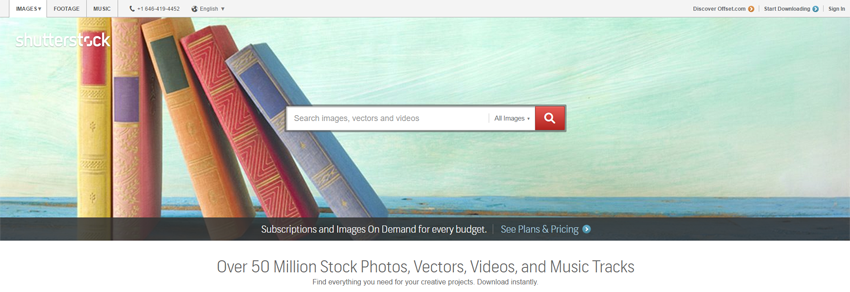
 at offer amazing royalty free images is Shutterstock. It has over 170 million premium images in the library, with thousands more uploaded every month. Although the stock photo agency does not exactly offer the cheapest stock photos in the market, Shutterstock makes up for it with diversity of collection and ease of use. Furthermore, you can get a Shutterstock voucher code to enjoy some discounts on your purchase.